openapi: 3.1.0
info:
version: 1.1.0
title: OpenQR.io
termsOfService: https://openqr.io/terms-and-conditions/
contact:
email: info@openqr.io
url: https://openqr.io/
license:
name: OpenQR Terms and Conditions
url: https://openqr.io/terms-and-conditions/
x-logo:
url: ./assets/logo.svg
altText: OpenQR
href: https://openqr.io/
description: |
Create, design and manage QR codes from your own code, or connect an AI assistant to your OpenQR account.
servers:
- url: https://api.openqr.io/api/v1
security:
- api_key: []
tags:
- name: Introduction
x-traitTag: true
description: |
OpenQR.io lets you create, update and organise static and dynamic QR codes outside the dashboard. You can work with your account in three ways:
| | For | Start here |
| --- | --- | --- |
| **REST API** | Your own apps, scripts and integrations | [Authentication](#tag/Authentication) |
| **MCP server** | AI assistants such as Claude and ChatGPT | [MCP overview](#tag/MCP-overview) |
| **n8n node** | No-code workflows in n8n | [n8n](#tag/n8n) |
Both work with the same account, folders and QR codes as the dashboard.
### Plan limits
Every active QR code counts towards your plan limit, whether it is static or dynamic, and however it was created. Archiving a code frees its slot. [`GET /users`](#operation/GetUser) shows your limit and how many codes you can still create.
- name: Authentication
x-traitTag: true
description: |
Every request needs an API key, sent as a bearer token:
```
Authorization: Bearer YOUR_API_KEY
```
### Get an API key
1. Sign up or sign in at [dashboard.openqr.io](https://dashboard.openqr.io).
2. Open the user menu in the top right corner and choose **API Keys**.
3. Create a key. You can create several, for example one per integration, and revoke each one separately.

> **Copy the key when it is created.** OpenQR does not store it and cannot show it again. Treat it like a password: keep it on your server and never put it in front-end code or a public repository.
### Authentication errors
| Status | Meaning |
| --- | --- |
| `401` | The key is missing, wrong or revoked. |
| `403` | The key is valid but has no API access, or the item belongs to another account. |
The same key also works with the [MCP server](#tag/Other-MCP-clients) for AI clients that cannot sign in with OAuth.
- name: Requests and pagination
x-traitTag: true
description: |
The OpenQR API is a **REST API**: every request and response body is **JSON**, and results are reported with standard **HTTP status codes**.
```
https://api.openqr.io/api/v1
```
### Request basics
- Send `Accept: application/json` with every request. Without it, errors are not returned as JSON.
- Send request bodies as JSON with `Content-Type: application/json`. The one exception is file uploads, which use `multipart/form-data`.
- Updates use `POST` to the item's URL, for example `POST /qr-codes/{qr_code_id}`.
### Pagination
Lists return 20 items per page.
- **QR codes and folders** use cursor pagination. To get the next page, pass `meta.next_cursor` as the `cursor` query parameter, or follow `links.next`. When `next_cursor` is `null`, you are on the last page.
- **Files** use page numbers. Pass `page=2`, `page=3` and so on, or follow `links.next`.
- name: Errors and rate limits
x-traitTag: true
description: |
Errors return an HTTP status code and a JSON body with a `message`:
```json
{
"message": "The name field is required."
}
```
| Status | When |
| --- | --- |
| `400` | Validation failed. `message` describes the first invalid field. |
| `401` | The API key is missing, wrong or revoked. |
| `403` | Your plan limit is reached, the key has no API access, or the item belongs to another account. |
| `404` | The item does not exist. |
| `409` | Another QR code is still being created in your account. Retry after a moment. |
| `429` | Too many requests. Wait before retrying. |
| `500` | Something went wrong on our side. Retry later, and contact [info@openqr.io](mailto:info@openqr.io) if it keeps happening. |
### Rate limits
Limits are counted per account, per minute.
| Requests | Limit |
| --- | --- |
| All API requests (your dashboard session counts too) | 100 per minute |
| Create, preview, preview and save, and update QR code, combined | 60 per minute |
| [MCP server](#tag/MCP-overview) requests (counted separately) | 120 per minute |
When you go over a limit you get `429`. Wait until the minute has passed, then retry.
### Plan limit
Every active QR code counts towards your plan limit, whether it is static or dynamic. When the limit is reached, creating a code returns `403`. Archive codes you no longer need, or upgrade your plan in the dashboard. [`GET /users`](#operation/GetUser) shows `qr_codes_limit` and `qr_codes_remaining`.
- name: MCP overview
x-traitTag: true
description: |
Connect Claude, ChatGPT or another AI assistant to your OpenQR.io account, and manage QR codes by asking in plain words: *"Create a dynamic QR code for our spring menu in the Restaurant folder"*, or *"How many scans did the flyer code get last month?"*
One URL works for every assistant:
```
https://mcp.openqr.io/mcp
```
Any registered OpenQR user can connect, on any plan. Your plan limits apply just as they do in the dashboard.
### What an assistant can do
- List, find and open your QR codes, and filter them by folder or archived status.
- Create static and dynamic QR codes, and change their name, folder, content and colors and shapes.
- Preview a code and see exactly what it encodes.
- Read scan statistics for dynamic codes: all-time scans, plus daily, country, city and OS breakdowns for a month.
- Archive codes, and list, create and rename folders.
- Check how many codes your plan still allows.
The full list is under [MCP tools](#tag/MCP-tools).
**Changes to dynamic codes affect every printed copy.** Changing a dynamic code's content or archiving it changes what every printed copy of it does. Assistants are told to confirm with you before doing either.
### Security and permissions
- **You approve every connection.** You sign in to OpenQR, and a consent screen shows the app and what it will be able to do. Nothing is shared until you click **Allow**.
- **Only QR codes and folders.** A connected assistant works with your QR codes and folders as you. It can't access billing, API keys or account settings.
- **Access expires when unused.** The connection stays signed in while you use it. If it isn't used for 60 days, it expires and you connect again.
- **Disconnect at any time** under **Integrations** in the dashboard.
- **Approved apps only.** The hosted apps that can connect are Claude and ChatGPT. Desktop apps on your own computer, such as Claude Code, Cursor and VS Code, can also connect. To ask for another hosted app, email [support@openqr.io](mailto:support@openqr.io).
### Limits
- MCP requests are limited to 120 per minute per account, separately from the REST API.
- Assistants can create these types:
| Kind | Types |
| --- | --- |
| Dynamic | URL, text, call, SMS, email, Wi-Fi, location |
| Static | URL, text, call, SMS, email, location, event, Wi-Fi, vCard |
Landing-page types (such as dynamic vCard, event, links and social) and PDF codes are created in the dashboard.
- Logos, frames and design templates are set in the dashboard.
- name: Connect Claude
x-traitTag: true
description: |
Add OpenQR to Claude as a custom connector. It works on claude.ai, in the Claude desktop app and on mobile, once it has been added.
### Pro and Max plans
1. In Claude, open **Customize → Connectors**.
2. Click **+ Add** and choose **Add custom connector**.
3. Enter a name, for example `OpenQR`, and the URL `https://mcp.openqr.io/mcp`. Leave the authentication settings as Claude detects them (OAuth).
4. Click **Add**, then **Connect**.
5. Sign in to OpenQR in the window that opens, check the consent screen and click **Allow**.
To use it, turn on OpenQR from the **+** menu in a chat, then ask, for example: *"List my OpenQR folders."*
### Team and Enterprise plans
An owner adds the connector once under **Organization settings → Connectors**, using the same URL. Each member then opens **Customize → Connectors**, finds OpenQR and clicks **Connect** to sign in with their own OpenQR account.
### Claude Code
See [Desktop apps](#tag/Desktop-apps).
Claude's menus change from time to time. If these steps don't match what you see, follow Anthropic's guide: [Get started with custom connectors using remote MCP](https://support.claude.com/en/articles/11175166-get-started-with-custom-connectors-using-remote-mcp).
- name: Connect ChatGPT
x-traitTag: true
description: |
ChatGPT connects to MCP servers as **plugins**, on the web at [chatgpt.com](https://chatgpt.com). You no longer need to turn on developer mode first.
1. In ChatGPT, click **Plugins** in the left sidebar.
2. Click **+** (Add) at the top, then **Add custom MCP server**.
3. Enter a name, such as `OpenQR`, and under **Connection** enter the server URL `https://mcp.openqr.io/mcp`.
4. Choose **OAuth** authentication, review the risk warning and select **I understand and want to continue**.
5. Select **Create as a plugin**, then install the plugin.
6. Sign in to OpenQR in the window that opens, check the consent screen and click **Allow**.
7. In a chat, type `@`, pick OpenQR and ask, for example: *"How many QR codes can I still create?"*
ChatGPT asks you to confirm each action that changes your account, such as creating or archiving a code, before it runs.
On Business, Enterprise and Edu workspaces, adding a custom MCP server needs the **Create plugins with MCPs** permission. On Business workspaces only admins and owners have it by default, so ask an admin to add OpenQR if you don't see **Add custom MCP server**.
ChatGPT's menus change often. If these steps don't match what you see, follow OpenAI's guide: [Add custom MCP server](https://developers.openai.com/api/docs/guides/custom-mcp-server).
- name: Desktop apps
x-traitTag: true
description: |
Desktop apps and code editors connect with the same URL. Each one opens your browser so you can sign in to OpenQR and click **Allow**.
### Claude Code
```bash
claude mcp add --transport http openqr https://mcp.openqr.io/mcp
```
Then run `/mcp` in Claude Code, pick **openqr** and sign in.
### Cursor
Add OpenQR to `~/.cursor/mcp.json` (all projects) or `.cursor/mcp.json` (one project):
```json
{
"mcpServers": {
"openqr": {
"url": "https://mcp.openqr.io/mcp"
}
}
}
```
Cursor shows a **Needs login** prompt next to the server. Click it to sign in.
### VS Code
Run **MCP: Add Server** from the Command Palette, choose **HTTP**, and enter `https://mcp.openqr.io/mcp`. Or add it to `.vscode/mcp.json`:
```json
{
"servers": {
"openqr": {
"type": "http",
"url": "https://mcp.openqr.io/mcp"
}
}
}
```
VS Code asks you to sign in the first time the server starts.
### Claude desktop app
Connectors added on claude.ai are also available in the desktop app. See [Connect Claude](#tag/Connect-Claude).
- name: Other MCP clients
x-traitTag: true
description: |
Any MCP client that supports the **Streamable HTTP** transport can connect to:
```
https://mcp.openqr.io/mcp
```
### OAuth
The server follows the MCP authorization spec:
- **OAuth 2.1** with the authorization code grant and refresh tokens.
- **Dynamic client registration** at `/oauth/register`, so no client ID needs to be issued in advance.
- **PKCE** is required, with `S256` only.
- **Scope:** `mcp:use`. It is also the default when a client sends no scope.
- **Discovery:** `https://mcp.openqr.io/.well-known/oauth-protected-resource` and `https://mcp.openqr.io/.well-known/oauth-authorization-server`.
- **Tokens:** access tokens last 1 hour. Refresh tokens last 60 days.
Allowed redirect URIs:
| Client | Redirect URI |
| --- | --- |
| Apps on the user's computer | `http://localhost`, `http://127.0.0.1` or `http://[::1]` (any port), or the `cursor://` and `vscode://` schemes |
| Hosted apps | Only Claude (`claude.ai`, `claude.com`) and ChatGPT (`chatgpt.com`) |
Authorization from any other host is refused with *"This app is not supported yet"*. To ask for your hosted app to be added, email [support@openqr.io](mailto:support@openqr.io).
### API key instead of OAuth
Clients that can't sign in with OAuth can use an API key from the dashboard's **API Keys** page ([Authentication](#tag/Authentication)). Send it in either header:
```
Authorization: Bearer YOUR_API_KEY
X-API-Key: YOUR_API_KEY
```
An API key gives full API access to your account and doesn't expire on its own, so prefer OAuth when the client supports it. Revoke the key in the dashboard to cut off access.
- name: MCP tools
x-traitTag: true
description: |
The OpenQR MCP server provides these tools. Assistants choose a tool from what you ask, so you don't need to name them.
| Tool | What it does | Changes data |
| --- | --- | --- |
| `list_qr_codes` | Lists QR codes, newest first, 20 per page. Filter by folder, or show archived codes. | No |
| `get_qr_code` | One QR code with its type, folder and image URL. | No |
| `list_qr_types` | The supported types and the data fields each one needs. | No |
| `create_qr_code` | Creates a QR code, optionally in a folder. Counts towards your plan limit. | Yes |
| `update_qr_code` | Renames a code, moves it to another folder, changes its content, or restyles it (colors, module, finder, finder dot). | Yes |
| `archive_qr_code` | Archives a code and frees its plan slot. Restore it from the dashboard. | Yes |
| `preview_qr_code` | A link to the SVG image, and the exact content the code encodes. | No |
| `get_qr_code_stats` | Scans for a dynamic code: the all-time total, plus daily, country, city and OS breakdowns for one month. | No |
| `list_folders` | Lists folders, 20 per page. | No |
| `create_folder` | Creates a folder. The name must be 5–255 characters. | Yes |
| `rename_folder` | Renames a folder. | Yes |
| `get_plan_usage` | Your plan, codes used, the limit and codes remaining. | No |
Tools that read data are marked read-only, so clients can run them without asking. Clients usually ask you before running a tool that changes data.
- name: MCP troubleshooting
x-traitTag: true
description: |
| What you see | Why | What to do |
| --- | --- | --- |
| *"This app is not supported yet"* | The assistant isn't on the list of approved hosted apps. | Email [support@openqr.io](mailto:support@openqr.io) to ask for it to be added. |
| *"This connection request has expired"* | Sign-in took more than 30 minutes, or **Allow** was clicked twice. | Go back to the assistant and connect again. |
| A plan limit message when creating a code | Every active code counts, static or dynamic. | Archive codes you no longer need, or upgrade your plan. |
| *"Another QR code is still being created"* | Several codes were being created at the same time. | Try again in a moment. |
| The assistant asks you to reconnect | The connection was removed under **Integrations**, or wasn't used for 60 days. | Connect again. |
| Too many requests (`429`) | More than 120 requests in a minute. | Wait a minute, then continue. |
| The assistant can't create a dynamic vCard, dynamic event, links, social or PDF code | Those types use a landing page or an uploaded file. | Create them in the dashboard. |
Still stuck? Email [support@openqr.io](mailto:support@openqr.io) with the assistant's name and the message you saw.
- name: n8n
x-traitTag: true
description: |
Use the official OpenQR.io node for [n8n](https://n8n.io) to create dynamic and static QR codes, change where they point and download them as SVG files from your workflows. It can also manage folders and logos, and check your plan usage.
### Install
1. In n8n, open **Settings → Community Nodes** and click **Install**.
2. Enter the package name exactly:
```
@openqr-io/n8n-nodes-openqr
```
3. Confirm, and wait for n8n to install the node.
> **Check the name.** Other packages have similar names but aren't from OpenQR.io. The official package starts with `@openqr-io/`.
On a self-hosted instance you can also install it from the command line, as described in n8n's [community nodes guide](https://docs.n8n.io/integrations/community-nodes/installation/).
### Credentials
The node signs in with an OpenQR.io API key. API access is included in every paid plan (Starter, Lite and Business).
1. Sign in at [dashboard.openqr.io](https://dashboard.openqr.io), open the user menu and choose **API Keys** ([Authentication](#tag/Authentication)).
2. Create a key and copy it. It's shown only once.
3. In n8n, create an **OpenQR.io API** credential and paste the key into **API Key**.
4. Leave **Base URL** as it is (`https://api.openqr.io/api/v1`) unless OpenQR.io support gives you a different one.
5. Save. n8n tests the key when you save the credential.
### What it can do
| Resource | Operations |
| --- | --- |
| QR Code | Create, Get, Get Many, Get Image (SVG), Update, Archive, Preview, Save Preview |
| Folder | Create, Get Many, Rename, Delete |
| Logo | Upload, Get Many |
| Account | Get Plan Usage |
You can create URL, Text, Call, SMS, Email, Wi-Fi, Location, Event and vCard codes, each as dynamic or static, and give each a **Design** with colors, shapes, a frame and a logo. Dynamic Event and vCard codes open a landing page that you build in the dashboard first. PDF, links page, social, app and GS1 codes are managed in the dashboard.
### Dynamic and static codes
- **Dynamic** codes hold a short link. You can change where they point after printing, and they record scans.
- **Static** codes hold the content itself. They can't be changed once printed and don't record scans.
Both kinds count towards your plan limit while they're active. Archived codes don't count.
**Changing or archiving a dynamic code affects every printed copy.** After **Update**, every printed copy opens the new content straight away. After **Archive**, every printed copy stops redirecting. For a static code, **Update** only changes the image, and printed copies keep the old content.
Every **Update** also resets the code's design. If the printed code has colors, a frame or a logo, fill in **Design** with the same settings each time.
### Limits and large batches
The node uses the REST API, so the same [rate limits](#tag/Errors-and-rate-limits) apply: 100 requests a minute per account, 60 of which can create, preview or update codes. Requests from the dashboard count too.
1. Check **Account → Get Plan Usage** first, so a run doesn't stop halfway when the plan is full.
2. For a large sheet, use **Loop Over Items** with batches of about 10, followed by a **Wait** node of 10 seconds.
3. Turn on **Continue On Fail** to keep going past a bad row. Error messages include the item number, so you can find the row.
The node waits and retries by itself when it reaches a limit, or when another code is still being created on the account.
### Using it with an AI Agent
n8n's AI Agent can use the node as a tool, for example to *"make a QR code for this link and send it to me"*.
- **Safe to give an agent:** Create, Get, Get Many, Get Image, Preview and Get Plan Usage.
- **Use with care:** Update and Archive change what every printed copy of a dynamic code does. Turn on n8n's human review for these tools, or keep them out of agent workflows.
The QR code's JSON includes its `image` link, so an agent that can't handle files can still send the image to someone.
### Example workflows
Download a template, then use **Import from File** on a new workflow in n8n. Each template has a note with setup steps.
| Workflow | What it does |
| --- | --- |
| [Sheet to QR codes](https://github.com/OpenQR/n8n-nodes-openqr/blob/main/templates/sheet-to-qr-codes.json) | Creates a dynamic URL code for every row in a Google Sheet, saves each SVG to Google Drive and writes the code's ID and image link back to the row. |
| [Scheduled destination change](https://github.com/OpenQR/n8n-nodes-openqr/blob/main/templates/scheduled-destination-change.json) | Points one printed code at the lunch menu at 11:00 and at the dinner menu at 17:00. |
| [New client folder](https://github.com/OpenQR/n8n-nodes-openqr/blob/main/templates/new-client-folder.json) | Creates a folder for each new client from a form. Swap the form for your CRM's trigger. |
| [Plan limit alert](https://github.com/OpenQR/n8n-nodes-openqr/blob/main/templates/plan-limit-alert.json) | Checks the plan every morning and emails you when 10% or fewer of its codes are left. |
### More detail
Every field and option is described in the node's [README on GitHub](https://github.com/OpenQR/n8n-nodes-openqr#readme). Report bugs and ideas in [GitHub issues](https://github.com/OpenQR/n8n-nodes-openqr/issues).
- name: Folders
description: Organise your QR codes in folders. A QR code can be in one folder at a time.
- name: QR Codes
description: Create, preview, update and archive static and dynamic QR codes, and design how they look.
- name: Files
description: Upload logos and list the logos you can place in the middle of a QR code.
- name: Users
description: Your account's plan and how many QR codes you can still create.
paths:
/folders:
post:
tags:
- Folders
summary: Create folder
description: Create a folder to organise your QR codes.
operationId: CreateFolder
security:
- api_key: []
requestBody:
$ref: '#/components/requestBodies/Folder'
responses:
'200':
$ref: '#/components/responses/Folder'
'400':
$ref: '#/components/responses/400_error'
'401':
$ref: '#/components/responses/401_error'
'403':
$ref: '#/components/responses/403_error'
'429':
$ref: '#/components/responses/429_error'
'500':
$ref: '#/components/responses/500_error'
x-codeSamples:
- lang: PHP
source: |+
use GuzzleHttp\Client;
$client = new Client();
$response = $client->request('POST', 'https://api.openqr.io/api/v1/folders',
[
'headers' => [
'Authorization' => 'Bearer api_key',
'Accept' => 'application/json',
],
'json' => [
'name' => 'Marketing',
]
]
);
echo $response->getBody()->getContents();
get:
tags:
- Folders
summary: List folders
description: List your folders, 20 per page.
operationId: GetFolders
security:
- api_key: []
parameters:
- $ref: '#/components/parameters/cursor'
responses:
'200':
$ref: '#/components/responses/Folders_list'
'401':
$ref: '#/components/responses/401_error'
'403':
$ref: '#/components/responses/403_error'
'429':
$ref: '#/components/responses/429_error'
'500':
$ref: '#/components/responses/500_error'
x-codeSamples:
- lang: PHP
source: |-
use GuzzleHttp\Client;
$client = new Client();
$response = $client->request('GET', 'https://api.openqr.io/api/v1/folders',
[
'headers' => [
'Authorization' => 'Bearer api_key',
'Accept' => 'application/json',
]
]);
echo $response->getBody()->getContents();
/folders/{folder_id}:
post:
tags:
- Folders
summary: Rename folder
description: Change a folder's name.
operationId: UpdateFolder
parameters:
- $ref: '#/components/parameters/folder_id'
security:
- api_key: []
requestBody:
$ref: '#/components/requestBodies/Folder'
responses:
'200':
$ref: '#/components/responses/Folder'
'400':
$ref: '#/components/responses/400_error'
'401':
$ref: '#/components/responses/401_error'
'403':
$ref: '#/components/responses/403_error'
'404':
$ref: '#/components/responses/404_error'
'429':
$ref: '#/components/responses/429_error'
'500':
$ref: '#/components/responses/500_error'
x-codeSamples:
- lang: PHP
source: |+
use GuzzleHttp\Client;
$client = new Client();
$response = $client->request('POST', 'https://api.openqr.io/api/v1/folders/{FOLDER_ID}',
[
'headers' => [
'Authorization' => 'Bearer api_key',
'Accept' => 'application/json',
],
'json' => [
'name' => 'Marketing',
]
]
);
echo $response->getBody()->getContents();
/folders/{folder_id}/delete:
post:
tags:
- Folders
summary: Delete folder
description: Delete a folder. The QR codes in it are kept and moved out of the folder.
operationId: DeleteFolder
parameters:
- $ref: '#/components/parameters/folder_id'
security:
- api_key: []
responses:
'200':
$ref: '#/components/responses/Deleted'
'401':
$ref: '#/components/responses/401_error'
'403':
$ref: '#/components/responses/403_error'
'404':
$ref: '#/components/responses/404_error'
'429':
$ref: '#/components/responses/429_error'
'500':
$ref: '#/components/responses/500_error'
/qr-codes:
post:
tags:
- QR Codes
summary: Create QR code
description: |
Create a QR code. Every active code counts towards your plan limit; when the limit is reached you get `403`.
To show the user the image before saving, use [Preview QR code](#operation/PreviewQRCode) and then [Save previewed QR code](#operation/SavePreviewedQRCode).
operationId: CreateQRCode
security:
- api_key: []
requestBody:
$ref: '#/components/requestBodies/QRCode'
responses:
'200':
$ref: '#/components/responses/QRCode'
'400':
$ref: '#/components/responses/400_error'
'401':
$ref: '#/components/responses/401_error'
'403':
$ref: '#/components/responses/403_error'
'409':
$ref: '#/components/responses/409_error'
'429':
$ref: '#/components/responses/429_error'
'500':
$ref: '#/components/responses/500_error'
x-codeSamples:
- lang: PHP
source: |
use GuzzleHttp\Client;
$client = new Client();
$response = $client->request('POST', 'https://api.openqr.io/api/v1/qr-codes',
[
'headers' => [
'Authorization' => 'Bearer api_key',
'Accept' => 'application/json',
],
'json' => [
'name' => 'Spring menu',
'type' => 'url',
'data' => [
'url' => 'https://openqr.io',
],
'design' => [
'foreground_color' => '#1f2937',
'module' => 'dots',
],
],
]
);
echo $response->getBody()->getContents();
get:
tags:
- QR Codes
summary: List QR codes
description: List your QR codes, newest first, 20 per page.
operationId: GetQRCodes
security:
- api_key: []
parameters:
- name: status
in: query
description: '`public` (default) for active codes, or `archived`.'
required: false
schema:
type: string
enum:
- public
- archived
default: public
- name: folder_id
in: query
description: Only return codes in this folder.
required: false
schema:
type: integer
- $ref: '#/components/parameters/cursor'
responses:
'200':
$ref: '#/components/responses/QRCode_list'
'401':
$ref: '#/components/responses/401_error'
'403':
$ref: '#/components/responses/403_error'
'429':
$ref: '#/components/responses/429_error'
'500':
$ref: '#/components/responses/500_error'
x-codeSamples:
- lang: PHP
source: |-
use GuzzleHttp\Client;
$client = new Client();
$response = $client->request('GET', 'https://api.openqr.io/api/v1/qr-codes',
[
'headers' => [
'Authorization' => 'Bearer api_key',
'Accept' => 'application/json',
]
]);
echo $response->getBody()->getContents();
/qr-codes/preview:
post:
tags:
- QR Codes
summary: Preview QR code
description: |
Get the SVG image of a QR code without saving it. Takes the same body as [Create QR code](#operation/CreateQRCode).
A dynamic code's image contains its future short link. The ID behind that link is kept for your account and the code's type, so repeated previews show the same image. To save the code with exactly that link, use [Save previewed QR code](#operation/SavePreviewedQRCode).
operationId: PreviewQRCode
security:
- api_key: []
requestBody:
$ref: '#/components/requestBodies/QRCode'
responses:
'200':
$ref: '#/components/responses/QRCode_preview'
'400':
$ref: '#/components/responses/400_error'
'401':
$ref: '#/components/responses/401_error'
'403':
$ref: '#/components/responses/403_error'
'429':
$ref: '#/components/responses/429_error'
'500':
$ref: '#/components/responses/500_error'
/qr-codes/preview/save:
post:
tags:
- QR Codes
summary: Save previewed QR code
description: |
Save a QR code you previewed with [Preview QR code](#operation/PreviewQRCode), keeping the ID and short link shown in the preview, so an image you already showed or printed stays valid. Takes the same body as [Create QR code](#operation/CreateQRCode), and counts towards your plan limit the same way.
operationId: SavePreviewedQRCode
security:
- api_key: []
requestBody:
$ref: '#/components/requestBodies/QRCode'
responses:
'200':
$ref: '#/components/responses/QRCode'
'400':
$ref: '#/components/responses/400_error'
'401':
$ref: '#/components/responses/401_error'
'403':
$ref: '#/components/responses/403_error'
'409':
$ref: '#/components/responses/409_error'
'429':
$ref: '#/components/responses/429_error'
'500':
$ref: '#/components/responses/500_error'
/qr-codes/{qr_code_id}:
post:
tags:
- QR Codes
summary: Update QR code
description: |
Change a QR code's name, content, folder, domain or design. The type can't be changed.
**The update replaces the code's settings.** Send `qr_code_folder_id`, `domain_id` and `design` again with every update, or they are cleared.
Changing a dynamic code's content changes what every printed copy opens. Changing a static code's content changes the image, so printed copies keep the old content.
operationId: UpdateQRCode
parameters:
- $ref: '#/components/parameters/qr_code_id'
security:
- api_key: []
requestBody:
$ref: '#/components/requestBodies/QRCodeUpdate'
responses:
'200':
$ref: '#/components/responses/QRCode'
'400':
$ref: '#/components/responses/400_error'
'401':
$ref: '#/components/responses/401_error'
'403':
$ref: '#/components/responses/403_error'
'404':
$ref: '#/components/responses/404_error'
'429':
$ref: '#/components/responses/429_error'
'500':
$ref: '#/components/responses/500_error'
x-codeSamples:
- lang: PHP
source: |
use GuzzleHttp\Client;
$client = new Client();
// The update replaces the folder, domain and design: send them again to keep them.
$response = $client->request('POST', 'https://api.openqr.io/api/v1/qr-codes/{qr_code_id}',
[
'headers' => [
'Authorization' => 'Bearer api_key',
'Accept' => 'application/json',
],
'json' => [
'name' => 'Spring menu',
'qr_code_folder_id' => 6,
'data' => [
'url' => 'https://openqr.io/menu/spring',
],
'design' => [
'foreground_color' => '#1f2937',
'module' => 'dots',
],
],
]
);
echo $response->getBody()->getContents();
get:
tags:
- QR Codes
summary: Get QR code
description: Get one QR code.
operationId: ViewQRCode
parameters:
- $ref: '#/components/parameters/qr_code_id'
security:
- api_key: []
responses:
'200':
$ref: '#/components/responses/QRCode'
'401':
$ref: '#/components/responses/401_error'
'403':
$ref: '#/components/responses/403_error'
'404':
$ref: '#/components/responses/404_error'
'429':
$ref: '#/components/responses/429_error'
'500':
$ref: '#/components/responses/500_error'
x-codeSamples:
- lang: PHP
source: |-
use GuzzleHttp\Client;
$client = new Client();
$response = $client->request('GET', 'https://api.openqr.io/api/v1/qr-codes/{qr_code_id}',
[
'headers' => [
'Authorization' => 'Bearer api_key',
'Accept' => 'application/json',
]
]);
echo $response->getBody()->getContents();
/qr-codes/{qr_code_id}/archive:
post:
tags:
- QR Codes
summary: Archive QR code
description: |
Archive a QR code. It no longer counts towards your plan limit, and it appears under `status=archived` in [List QR codes](#operation/GetQRCodes). Restore it from the dashboard.
An archived dynamic code stops redirecting, so every printed copy stops working. Archiving a code that is already archived does nothing.
operationId: ArchiveQRCode
parameters:
- $ref: '#/components/parameters/qr_code_id'
security:
- api_key: []
responses:
'200':
$ref: '#/components/responses/QRCode'
'401':
$ref: '#/components/responses/401_error'
'403':
$ref: '#/components/responses/403_error'
'404':
$ref: '#/components/responses/404_error'
'429':
$ref: '#/components/responses/429_error'
'500':
$ref: '#/components/responses/500_error'
/files/qr-logos:
post:
tags:
- Files
summary: Upload a logo
description: Upload a logo image to use on your QR codes. Use the returned `id` as `design.logo_id`.
operationId: UploadFile
security:
- api_key: []
requestBody:
$ref: '#/components/requestBodies/File'
responses:
'200':
$ref: '#/components/responses/File'
'400':
$ref: '#/components/responses/400_error'
'401':
$ref: '#/components/responses/401_error'
'403':
$ref: '#/components/responses/403_error'
'429':
$ref: '#/components/responses/429_error'
'500':
$ref: '#/components/responses/500_error'
x-codeSamples:
- lang: PHP
source: |
use GuzzleHttp\Client;
$client = new Client();
$response = $client->request('POST', 'https://api.openqr.io/api/v1/files/qr-logos',
[
'headers' => [
'Authorization' => 'Bearer api_key',
'Accept' => 'application/json',
],
'multipart' => [
[
'name' => 'file',
'filename' => 'logo.png',
'contents' => fopen('/path/to/logo.png', 'r'),
],
],
]
);
echo $response->getBody()->getContents();
get:
tags:
- Files
summary: List logos
description: List the logos you can use on QR codes, 20 per page. This includes the logos you uploaded and the ones OpenQR provides (`public` is `true`).
operationId: GetFiles
security:
- api_key: []
parameters:
- name: page
in: query
description: Page number.
required: false
schema:
type: integer
minimum: 1
default: 1
responses:
'200':
$ref: '#/components/responses/Files_list'
'401':
$ref: '#/components/responses/401_error'
'403':
$ref: '#/components/responses/403_error'
'429':
$ref: '#/components/responses/429_error'
'500':
$ref: '#/components/responses/500_error'
x-codeSamples:
- lang: PHP
source: |-
use GuzzleHttp\Client;
$client = new Client();
$response = $client->request('GET', 'https://api.openqr.io/api/v1/files/qr-logos',
[
'headers' => [
'Authorization' => 'Bearer api_key',
'Accept' => 'application/json',
]
]);
echo $response->getBody()->getContents();
/users:
get:
tags:
- Users
summary: Get plan and usage
description: |
Get your account's plan, how many QR codes it allows, and how many you can still create. Check `qr_codes_remaining` before creating several codes.
operationId: GetUser
security:
- api_key: []
responses:
'200':
$ref: '#/components/responses/User'
'401':
$ref: '#/components/responses/401_error'
'403':
$ref: '#/components/responses/403_error'
'429':
$ref: '#/components/responses/429_error'
'500':
$ref: '#/components/responses/500_error'
components:
securitySchemes:
api_key:
type: http
scheme: bearer
description: 'Your API key, sent as `Authorization: Bearer YOUR_API_KEY`. See [Authentication](#tag/Authentication).'
parameters:
cursor:
name: cursor
in: query
description: Cursor for the page to fetch, from `meta.next_cursor` of the previous page.
required: false
schema:
type: string
folder_id:
name: folder_id
in: path
description: Folder ID.
required: true
schema:
type: integer
qr_code_id:
name: qr_code_id
in: path
description: QR code ID.
required: true
schema:
type: string
examples:
- km0yYX0
schemas:
Folder:
type: object
description: Folder object
properties:
id:
description: Folder ID.
type: integer
examples:
- 6
name:
description: Folder name.
type: string
maxLength: 255
minLength: 5
examples:
- Marketing
created_at:
type: string
format: date-time
examples:
- '2026-07-31T19:32:06.000000Z'
Pagination:
type: object
description: |
Cursor pagination. Pass `meta.next_cursor` as the `cursor` query parameter, or follow `links.next`, to get the next page. Both are `null` on the last page.
properties:
links:
type: object
properties:
first:
type:
- string
- 'null'
examples:
- null
last:
type:
- string
- 'null'
examples:
- null
prev:
description: URL of the previous page.
type:
- string
- 'null'
examples:
- null
next:
description: URL of the next page.
type:
- string
- 'null'
examples:
- https://api.openqr.io/api/v1/qr-codes?cursor=eyJjcmVhdGVkX2F0IjoiMjAyMy0wNy0zMCAxMDoyNjoxMCIsIl9wb2ludHNUb05leHRJdGVtcyI6dHJ1ZX0
meta:
type: object
properties:
path:
description: URL of the list.
type: string
examples:
- https://api.openqr.io/api/v1/qr-codes
per_page:
description: Items per page.
type: integer
examples:
- 20
next_cursor:
description: Cursor for the next page, or `null` on the last page.
type:
- string
- 'null'
examples:
- eyJjcmVhdGVkX2F0IjoiMjAyMy0wNy0zMCAxMDoyNjoxMCIsIl9wb2ludHNUb05leHRJdGVtcyI6dHJ1ZX0
prev_cursor:
description: Cursor for the previous page, or `null` on the first page.
type:
- string
- 'null'
examples:
- null
Problem:
type: object
description: Problem described in JSON format .
properties:
message:
type: string
description: The error message.
QRCodeType:
type: string
description: |
QR code type. Types ending in `_static` encode their content directly in the image. The others are **dynamic**: the image holds a short link, so you can change the content later and see scan statistics.
Dynamic `vcard` and `event` codes open a landing page. Build the page in the dashboard, then pass its ID as `qr_page_id`. The `pdf`, `links`, `social`, `app` and `gs1_digital_link` types are managed in the dashboard.
enum:
- url
- url_static
- text
- text_static
- call
- call_static
- sms
- sms_static
- email
- email_static
- wifi
- wifi_static
- geo
- geo_static
- event
- event_static
- vcard
- vcard_static
examples:
- url
QRCode:
type: object
description: QR code object
properties:
id:
description: QR code ID.
type: string
examples:
- km0yYX0
name:
description: QR code name.
type: string
maxLength: 255
examples:
- Demo
status:
description: '`public` for active codes, `archived` for archived ones.'
type: string
enum:
- public
- archived
examples:
- public
dynamic:
description: Whether the code is dynamic, meaning its content can change and it records scans.
type: boolean
examples:
- true
qr_code_folder_id:
description: ID of the folder the code is in, or `null`.
type:
- integer
- 'null'
examples:
- 6
domain_id:
description: ID of the custom domain used for the code's short link, or `null` for the default domain.
type:
- integer
- 'null'
examples:
- null
type:
$ref: '#/components/schemas/QRCodeType'
image:
description: URL of the QR code image (SVG).
type: string
format: uri
examples:
- https://cdn.openqr.io/assets/qrcode_files/jk/m0/km0yYX0.svg
created_at:
type: string
format: date-time
examples:
- '2026-07-30T10:26:10.000000Z'
updated_at:
type: string
format: date-time
examples:
- '2026-07-30T10:26:10.000000Z'
TypeUrlData:
type: object
title: URL (url, url_static)
required:
- url
properties:
url:
description: Website address the QR code opens.
type: string
format: uri
maxLength: 350
examples:
- https://openqr.io
TypeTextData:
type: object
title: Text (text, text_static)
required:
- text
properties:
text:
description: Plain text shown when the code is scanned.
type: string
maxLength: 350
examples:
- Demo
TypeCallData:
type: object
title: Call (call, call_static)
required:
- phone
properties:
phone:
description: Phone number to call.
type: string
maxLength: 32
minLength: 3
examples:
- '+1234567890'
TypeSMSData:
type: object
title: SMS (sms, sms_static)
required:
- phone
- message
properties:
phone:
description: Phone number to send the SMS to.
type: string
maxLength: 32
examples:
- '+1234567890'
message:
description: Message text.
type: string
maxLength: 500
examples:
- SMS message text
TypeEmailData:
type: object
title: Email (email, email_static)
required:
- email
- subject
- message
properties:
email:
description: Recipient email address.
type: string
format: email
examples:
- info@openqr.io
subject:
description: Email subject.
type: string
maxLength: 180
examples:
- Subject of the email
message:
description: Email body.
type: string
maxLength: 500
examples:
- Email message
TypeWIFIData:
type: object
title: Wi-Fi (wifi, wifi_static)
required:
- ssid
- type
properties:
ssid:
description: Network name.
type: string
maxLength: 200
examples:
- WIFI_NAME
type:
description: Security type. Use `nopass` for an open network.
type: string
enum:
- WPA
- WEP
- nopass
examples:
- WPA
password:
description: Network password. Leave it out for `nopass`.
type: string
examples:
- jk230iNM23
hidden:
description: Whether the network is hidden.
type: boolean
examples:
- false
TypeGeoData:
type: object
title: Location (geo, geo_static)
required:
- lat
- long
properties:
lat:
description: Latitude.
type: number
maximum: 90
examples:
- 54.6872
long:
description: Longitude.
type: number
maximum: 180
examples:
- 25.2797
TypeEventData:
type: object
title: Event (event_static)
description: |
Data for a static event code. A dynamic `event` code shows a landing page instead: send `qr_page_id` and leave `data` empty.
required:
- title
- url
- location
- start_at
properties:
title:
description: Event title.
type: string
maxLength: 100
examples:
- OpenQR event
description:
description: Event description.
type: string
maxLength: 200
examples:
- OpenQR event description
url:
description: Event web page.
type: string
format: uri
examples:
- https://openqr.io/events/launch
location:
description: Event location.
type: string
maxLength: 100
examples:
- London
start_at:
description: Start date and time.
type: string
format: date-time
examples:
- '2026-08-22T18:00:00.000Z'
end_at:
description: End date and time.
type: string
format: date-time
examples:
- '2026-08-22T21:00:00.000Z'
TypeVCardData:
type: object
title: vCard (vcard_static)
description: |
Data for a static vCard code. A dynamic `vcard` code shows a landing page instead: send `qr_page_id` and leave `data` empty.
required:
- first_name
- last_name
properties:
first_name:
description: First name.
type: string
maxLength: 200
examples:
- Name
last_name:
description: Last name.
type: string
maxLength: 200
examples:
- Last name
mobile:
description: Mobile phone number.
type: string
maxLength: 32
examples:
- '+1234567890'
phone:
description: Phone number.
type: string
maxLength: 32
examples:
- '+1234567890'
fax:
description: Fax number.
type: string
maxLength: 32
examples:
- '+1234565'
email:
description: Email address.
type: string
maxLength: 200
examples:
- info@openqr.io
company:
description: Company name.
type: string
maxLength: 200
examples:
- OpenQR
job:
description: Job title.
type: string
maxLength: 200
examples:
- Developer
street:
description: Street address.
type: string
maxLength: 200
examples:
- Street name
city:
description: City.
type: string
maxLength: 200
examples:
- City
zip:
description: ZIP or postal code.
type: string
maxLength: 200
examples:
- 123WR
state:
description: State or region.
type: string
maxLength: 200
examples:
- State
country:
description: Country.
type: string
maxLength: 200
examples:
- Country
website:
description: Website address.
type: string
maxLength: 200
examples:
- https://openqr.io
TypeLandingPageData:
type: object
title: Landing page (event, vcard)
description: |
Dynamic `event` and `vcard` codes open a landing page built in the dashboard. Send an empty `data` object and the page's ID as `qr_page_id`.
properties: {}
QRCodeDesign:
type: object
description: |
How the QR code looks. Every field is optional. Colors are hex values such as `#000000`, `#000` or `#000000FF`.
properties:
background_color:
description: Background color, or `transparent` / `none` for no background.
type:
- string
- 'null'
pattern: ^(#([0-9a-fA-F]{3}|[0-9a-fA-F]{6}|[0-9a-fA-F]{8})|none|transparent)$
default: '#FFFFFF'
examples:
- '#FFFFFF'
foreground_color:
description: Color of the modules (the small squares).
type:
- string
- 'null'
pattern: ^#([0-9a-fA-F]{3}|[0-9a-fA-F]{6}|[0-9a-fA-F]{8})$
default: '#000000'
examples:
- '#d32727'
eye_external_color:
description: Color of the outer part of the three corner markers.
type:
- string
- 'null'
pattern: ^#([0-9a-fA-F]{3}|[0-9a-fA-F]{6}|[0-9a-fA-F]{8})$
default: '#000000'
examples:
- '#25d0ae'
eye_internal_color:
description: Color of the inner dot of the three corner markers.
type:
- string
- 'null'
pattern: ^#([0-9a-fA-F]{3}|[0-9a-fA-F]{6}|[0-9a-fA-F]{8})$
default: '#000000'
examples:
- '#46bece'
module:
description: |
Shape of the modules.
 **square**
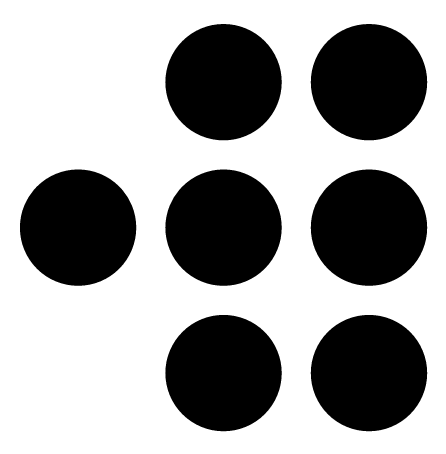 **dots**
 **roundness**
 **horizontal-lines**
 **vertical-lines**
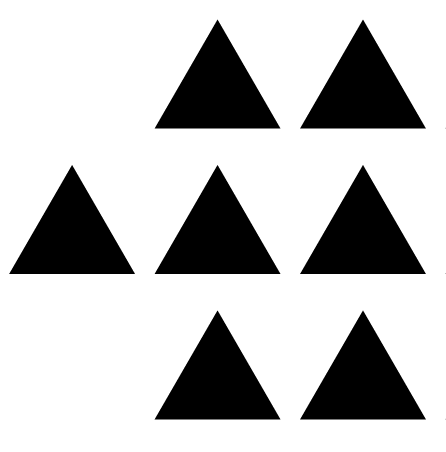 **triangle**
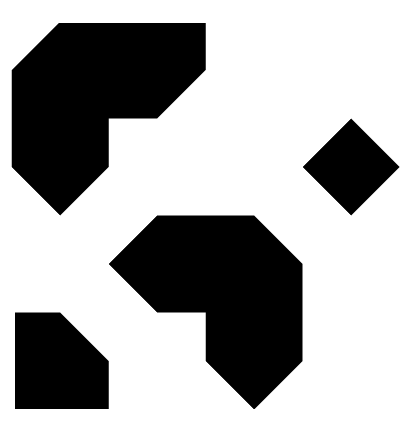 **triangle-end**
 **rhombus**
 **star-5**
 **star-7**
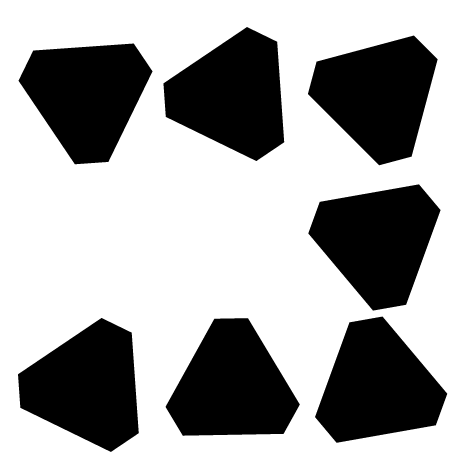 **diamond**
 **fish**
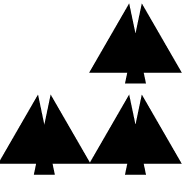 **tree**
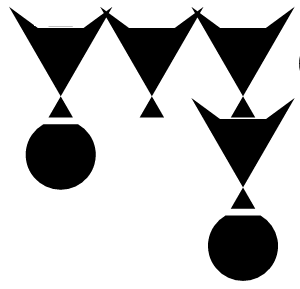 **twoTrianglesWithCircle**
 **fourTriangles**
type:
- string
- 'null'
default: square
enum:
- square
- dots
- roundness
- horizontal-lines
- vertical-lines
- triangle
- triangle-end
- rhombus
- star-5
- star-7
- diamond
- fish
- tree
- twoTrianglesWithCircle
- fourTriangles
finder:
description: |
Shape of the outer part of the three corner markers.
 **default**
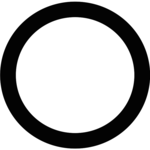 **circle**
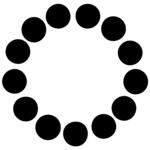 **circle-dots**
**dotted-square**
 **eye-shaped**
 **octagon**
 **rounded-corners**
**rounded-square**
**rounded-top-right**
**tilted-square**
**twisted-star**
 **water-drop**
**wavy-square**
 **whirlpool**
 **zigzag**
type:
- string
- 'null'
default: default
enum:
- default
- circle
- circle-dots
- dotted-square
- eye-shaped
- octagon
- rounded-corners
- rounded-square
- rounded-top-right
- tilted-square
- twisted-star
- water-drop
- wavy-square
- whirlpool
- zigzag
finder_dot:
description: |
Shape of the inner dot of the three corner markers.
 **default**
 **circle**
**distorted-square**
 **eye-shaped**
 **octagon**
 **rounded-corners**
**tilted-square**
 **water-drop**
 **whirlpool**
 **zigzag**
type:
- string
- 'null'
default: default
enum:
- default
- circle
- distorted-square
- eye-shaped
- octagon
- rounded-corners
- tilted-square
- water-drop
- whirlpool
- zigzag
frame:
description: |
Frame around the QR code.
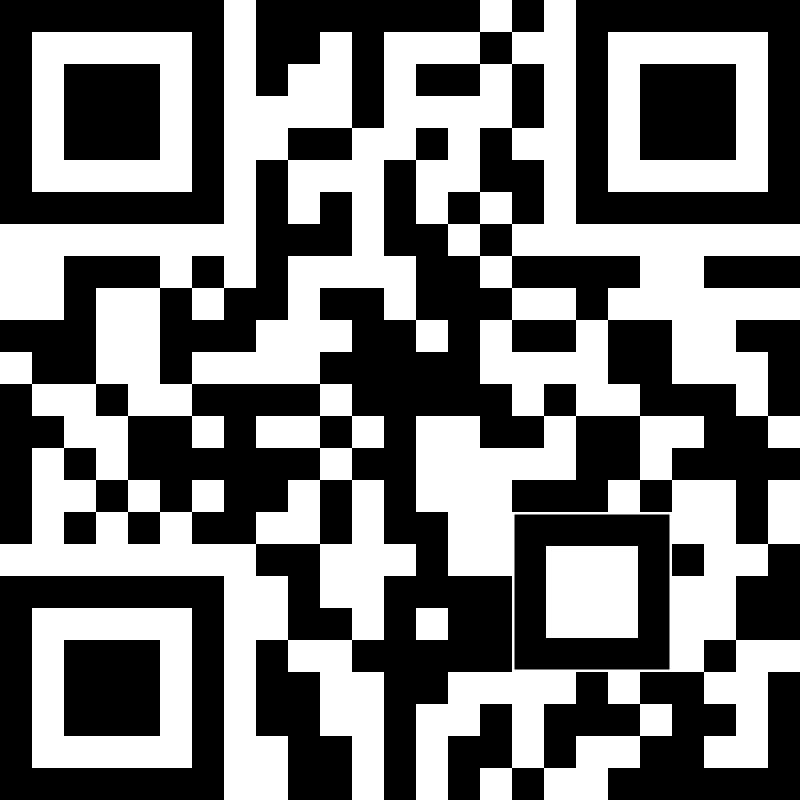 **none**: No frame (default)
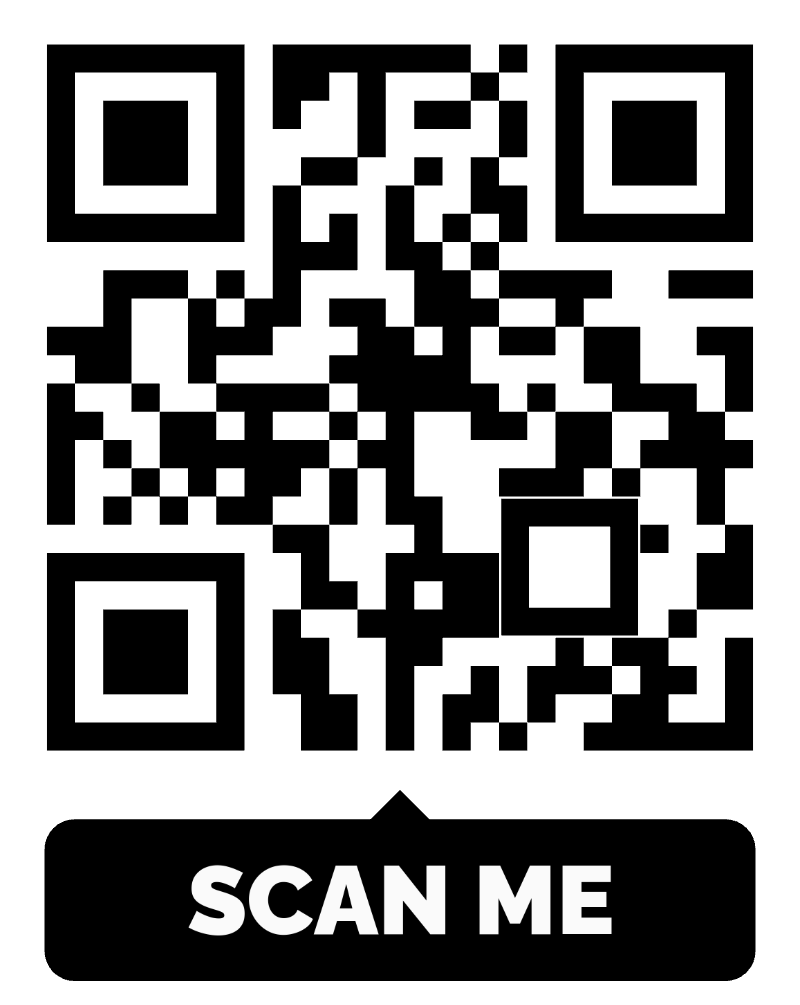 **simple-text-bottom**: Text below the code
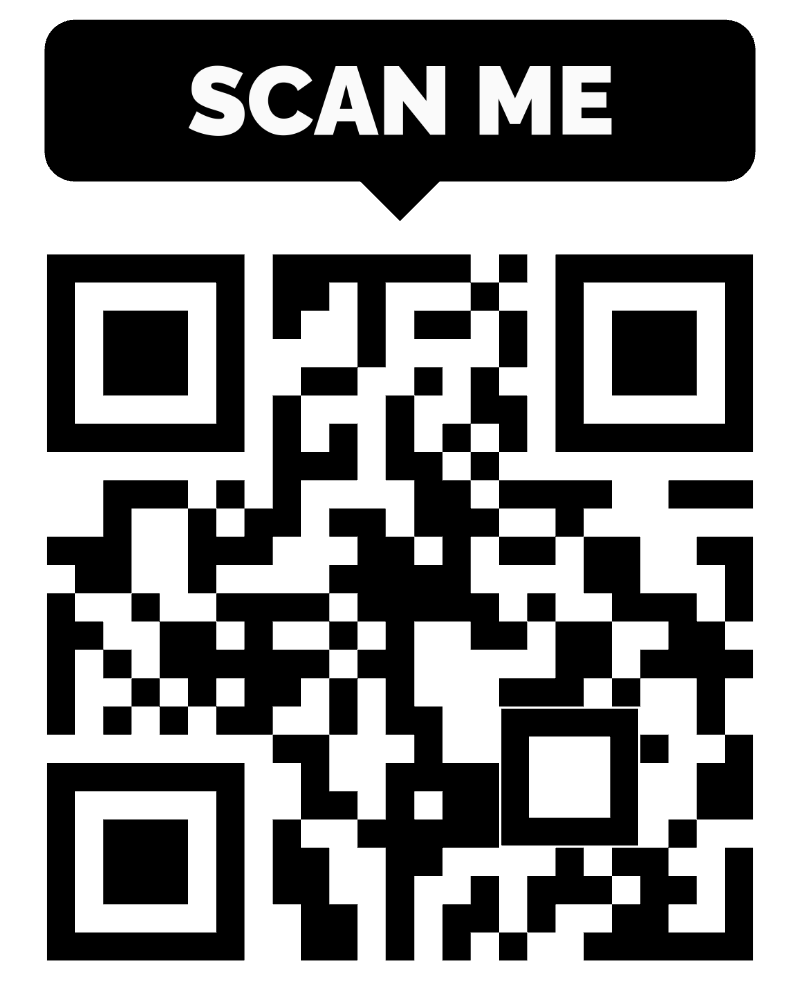 **simple-text-top**: Text above the code
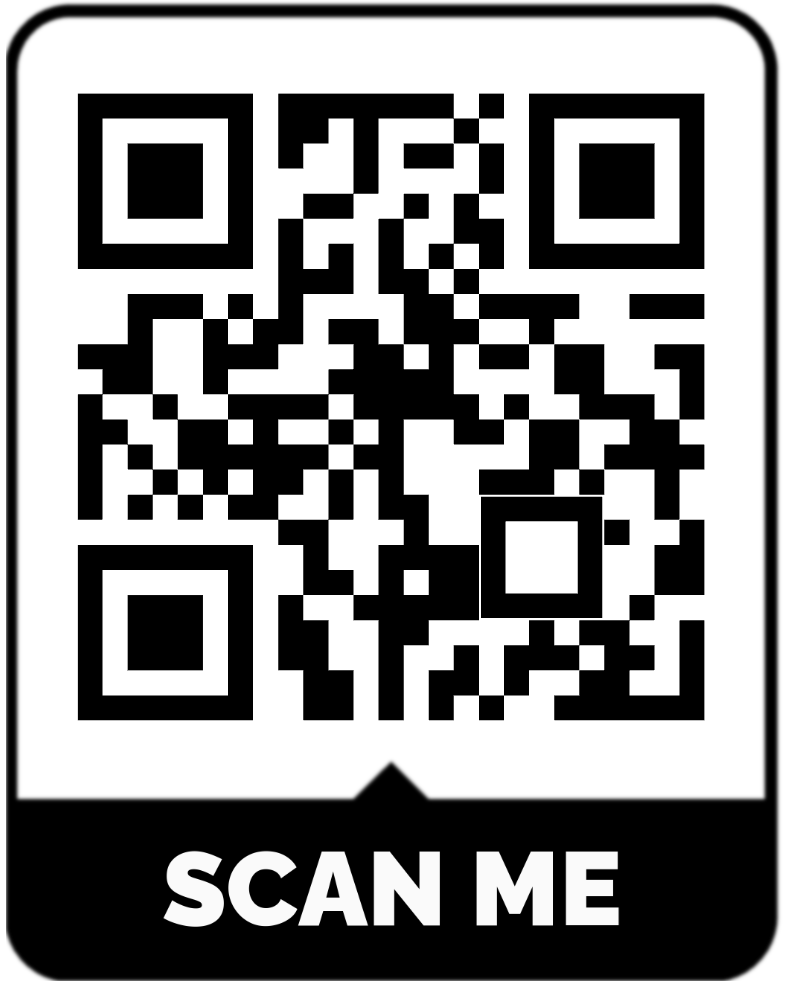 **border-around-text-bottom**: Border around the code, text below
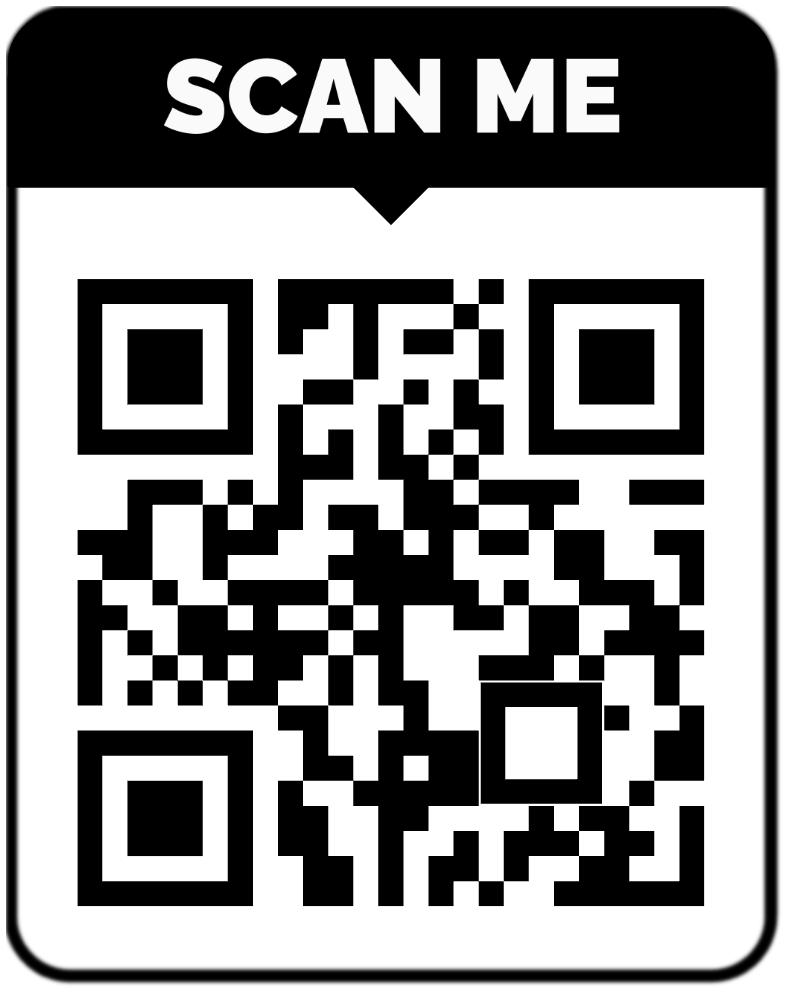 **border-around-text-top**: Border around the code, text above
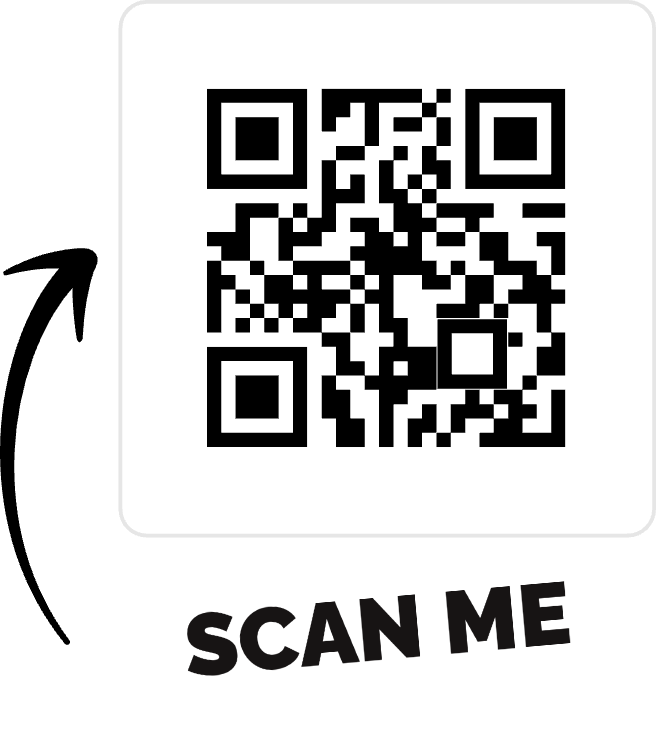 **arrow-text-bottom-frame**: Arrow on the right, text below
type:
- string
- 'null'
default: none
enum:
- none
- simple-text-bottom
- simple-text-top
- border-around-text-bottom
- border-around-text-top
- arrow-text-bottom-frame
frame_color:
description: Frame color.
type:
- string
- 'null'
pattern: ^#([0-9a-fA-F]{3}|[0-9a-fA-F]{6}|[0-9a-fA-F]{8})$
default: '#000000'
examples:
- '#000000'
frame_text:
description: Text shown in the frame.
type:
- string
- 'null'
default: SCAN ME
examples:
- SCAN ME
frame_text_color:
description: Frame text color.
type:
- string
- 'null'
pattern: ^#([0-9a-fA-F]{3}|[0-9a-fA-F]{6}|[0-9a-fA-F]{8})$
default: '#000000'
examples:
- '#000000'
frame_text_background_color:
description: Background color behind the frame text.
type:
- string
- 'null'
pattern: ^#([0-9a-fA-F]{3}|[0-9a-fA-F]{6}|[0-9a-fA-F]{8})$
default: '#000000'
examples:
- '#ffffff'
frame_text_size:
description: Frame text size, from `0` (smallest) to `2` (largest).
type:
- integer
- 'null'
minimum: 0
maximum: 2
default: 0
examples:
- 0
frame_font_family:
description: A [Google Fonts](https://fonts.google.com) family name. Letters, numbers and spaces only.
type:
- string
- 'null'
maxLength: 100
pattern: ^[A-Za-z0-9 ]+$
default: Raleway
examples:
- Raleway
frame_font_variant:
description: Font weight or style, such as `regular`, `700` or `900italic`.
type:
- string
- 'null'
maxLength: 30
pattern: ^[a-z0-9]+$
examples:
- '900'
logo_id:
description: ID of a logo from [`GET /files/qr-logos`](#operation/GetFiles). Leave it out for no logo.
type:
- string
- 'null'
default: null
examples:
- XzC1zPwH
logo_background_fill:
description: Color of the area behind the logo.
type:
- string
- 'null'
pattern: ^#([0-9a-fA-F]{3}|[0-9a-fA-F]{6}|[0-9a-fA-F]{8})$
default: '#ffffff'
examples:
- '#ffffff'
logo_background_shape:
description: Shape of the area behind the logo.
type:
- string
- 'null'
default: circle
enum:
- circle
- square
File:
type: object
description: File object
properties:
id:
description: File ID. Use it as `design.logo_id` on a QR code.
type: string
examples:
- XzC1zPwH
name:
description: File name.
type: string
examples:
- logo.png
mime_type:
description: File MIME type.
type: string
examples:
- image/png
url:
description: File URL. Images are resized to fit within 800 × 800 px.
type: string
format: uri
examples:
- https://cdn.openqr.io/assets/files/2023/1/qr_code/logo/XzC1zPwH.png
public:
description: '`true` for logos provided by OpenQR, `false` for logos you uploaded.'
type: boolean
examples:
- false
PagePagination:
type: object
description: |
Page-number pagination. Pass `page=2`, `page=3` and so on, or follow `links.next`. `links.next` is `null` on the last page.
properties:
links:
type: object
properties:
first:
type: string
examples:
- https://api.openqr.io/api/v1/files/qr-logos?page=1
last:
type:
- string
- 'null'
examples:
- null
prev:
type:
- string
- 'null'
examples:
- null
next:
type:
- string
- 'null'
examples:
- https://api.openqr.io/api/v1/files/qr-logos?page=2
meta:
type: object
properties:
current_page:
type: integer
examples:
- 1
from:
type:
- integer
- 'null'
examples:
- 1
to:
type:
- integer
- 'null'
examples:
- 20
path:
type: string
examples:
- https://api.openqr.io/api/v1/files/qr-logos
per_page:
type: integer
examples:
- 20
User:
type: object
description: Your account's plan and QR code usage.
properties:
account_trial_ends_at:
description: When the free trial ends, or `null` if the account never had one.
type:
- string
- 'null'
format: date-time
examples:
- '2026-10-21T18:31:32.000000Z'
account_on_trial:
description: Whether the account is in its free trial now.
type: boolean
examples:
- false
created_qr_codes_count:
description: Active QR codes, static and dynamic. Archived codes are not counted. This is the number that counts towards the limit.
type: integer
examples:
- 3
qr_codes_limit:
description: How many active QR codes the account can have, including any extra codes bought on top of the plan. `0` when there is no trial and no active plan.
type: integer
examples:
- 60
qr_codes_remaining:
description: How many more QR codes can be created now.
type: integer
examples:
- 57
subscription:
description: The paid subscription, or `null` if there has never been one.
type:
- object
- 'null'
properties:
id:
type: integer
examples:
- 1
subscription_active:
description: Whether the subscription is active, including the grace period after cancelling.
type: boolean
examples:
- true
on_trail:
description: Whether the subscription is in a trial period.
type: boolean
examples:
- false
on_grace:
description: Whether the subscription is cancelled but still active until the end of the paid period.
type: boolean
examples:
- false
plan_id:
description: ID of the subscribed plan.
type:
- integer
- 'null'
examples:
- 1
trial_ends_at:
description: When the subscription's trial ends, if it has one.
type:
- string
- 'null'
format: date-time
examples:
- null
plan:
description: |
The plan whose limits apply now: `Trial` during the free trial, the subscribed plan, or `No active plan` once the trial is over and there is no active subscription.
type: object
properties:
id:
description: Plan ID, or `null` for `Trial` and `No active plan`.
type:
- integer
- 'null'
examples:
- 1
name:
type: string
examples:
- Pro
number_of_qr_codes:
description: QR codes included in the plan, not counting extra codes bought on top. See `qr_codes_limit` for the total.
type: integer
examples:
- 50
number_of_scans:
description: Scans included in the plan, or `null` when not limited by the plan.
type:
- integer
- 'null'
examples:
- 0
responses:
Folders_list:
description: Folders list
content:
application/json:
schema:
allOf:
- type: object
properties:
data:
type: array
items:
$ref: '#/components/schemas/Folder'
- $ref: '#/components/schemas/Pagination'
401_error:
description: Unauthorized - The supplied credentials, if any, are not sufficient to access the resource
content:
application/json:
schema:
$ref: '#/components/schemas/Problem'
403_error:
description: Forbidden - Your plan limit is reached, the API key has no API access, or the item belongs to another account
content:
application/json:
schema:
$ref: '#/components/schemas/Problem'
example:
message: This action is unauthorized.
429_error:
description: Too Many Requests - Too many requests have been made in a short period of time (Throttling)
content:
application/json:
schema:
$ref: '#/components/schemas/Problem'
500_error:
description: Server Error - The server could not return the representation due to an internal server error
content:
application/json:
schema:
$ref: '#/components/schemas/Problem'
Folder:
description: Folder
content:
application/json:
schema:
type: object
properties:
data:
$ref: '#/components/schemas/Folder'
400_error:
description: Bad Request - The request could not be understood by the server. Incoming parameters might not be valid
content:
application/json:
schema:
$ref: '#/components/schemas/Problem'
404_error:
description: Not found - The requested resource is not found
content:
application/json:
schema:
$ref: '#/components/schemas/Problem'
Deleted:
description: Deleted
content:
application/json:
schema:
type: object
properties:
status:
type: string
examples:
- success
message:
type: string
examples:
- Your folder was removed
QRCode_list:
description: QR codes list
content:
application/json:
schema:
allOf:
- type: object
properties:
data:
type: array
items:
$ref: '#/components/schemas/QRCode'
- $ref: '#/components/schemas/Pagination'
QRCode:
description: QR Code
content:
application/json:
schema:
type: object
properties:
data:
$ref: '#/components/schemas/QRCode'
409_error:
description: Conflict - Another QR code is still being created in your account. Retry after a moment
content:
application/json:
schema:
$ref: '#/components/schemas/Problem'
example:
message: Another request in your account is still in progress. Please try again in a moment.
QRCode_preview:
description: The QR code image
content:
image/svg+xml:
schema:
type: string
description: SVG markup.
Files_list:
description: Files list
content:
application/json:
schema:
allOf:
- type: object
properties:
data:
type: array
items:
$ref: '#/components/schemas/File'
- $ref: '#/components/schemas/PagePagination'
File:
description: File
content:
application/json:
schema:
type: object
properties:
data:
$ref: '#/components/schemas/File'
User:
description: Your account's plan and usage
content:
application/json:
schema:
$ref: '#/components/schemas/User'
requestBodies:
Folder:
description: Folder to save
required: true
content:
application/json:
schema:
type: object
required:
- name
properties:
name:
description: Folder name.
type: string
minLength: 5
maxLength: 255
examples:
- Marketing
QRCode:
description: QR code to create
required: true
content:
application/json:
schema:
type: object
required:
- name
- type
- data
properties:
name:
description: QR code name, shown in the dashboard.
type: string
minLength: 5
maxLength: 255
examples:
- Spring menu
type:
$ref: '#/components/schemas/QRCodeType'
data:
description: Content of the code. The fields depend on `type`.
oneOf:
- $ref: '#/components/schemas/TypeUrlData'
- $ref: '#/components/schemas/TypeTextData'
- $ref: '#/components/schemas/TypeCallData'
- $ref: '#/components/schemas/TypeSMSData'
- $ref: '#/components/schemas/TypeEmailData'
- $ref: '#/components/schemas/TypeWIFIData'
- $ref: '#/components/schemas/TypeGeoData'
- $ref: '#/components/schemas/TypeEventData'
- $ref: '#/components/schemas/TypeVCardData'
- $ref: '#/components/schemas/TypeLandingPageData'
qr_code_folder_id:
description: ID of one of your folders to put the code in.
type:
- integer
- 'null'
examples:
- 6
domain_id:
description: ID of one of your custom domains, used for a dynamic code's short link. Leave it out to use the default domain.
type:
- integer
- 'null'
qr_page_id:
description: ID of a landing page built in the dashboard. Required for dynamic `event` and `vcard` codes; the page's type must match.
type:
- integer
- 'null'
design:
$ref: '#/components/schemas/QRCodeDesign'
examples:
url:
summary: URL (dynamic)
value:
name: Spring menu
type: url
qr_code_folder_id: 6
data:
url: https://openqr.io
design:
foreground_color: '#1f2937'
module: dots
finder: rounded-corners
text:
summary: Text
value:
name: Welcome text
type: text_static
data:
text: This is demo text
call:
summary: Call
value:
name: Call support
type: call
data:
phone: '+12345678790'
sms:
summary: SMS
value:
name: SMS signup
type: sms
data:
phone: '+1234567890'
message: Hi, this is the message text
email:
summary: Email
value:
name: Email support
type: email
data:
email: info@openqr.io
subject: Test API
message: Test email message
wifi:
summary: Wi-Fi
value:
name: Office Wi-Fi
type: wifi_static
data:
ssid: OfficeGuest
type: WPA
password: password1234
hidden: false
geo:
summary: Location
value:
name: Shop location
type: geo
data:
lat: 54.6872
long: 25.2797
event_static:
summary: Event (static)
value:
name: Launch event
type: event_static
data:
title: Product launch
description: Join us for the launch
url: https://openqr.io/events/launch
location: London
start_at: '2026-08-22T18:00:00.000Z'
end_at: '2026-08-22T21:00:00.000Z'
vcard_static:
summary: vCard (static)
value:
name: Business card
type: vcard_static
data:
first_name: Name
last_name: Last name
mobile: '+1234567890'
email: info@openqr.io
company: OpenQR
job: Developer
website: https://openqr.io
vcard:
summary: vCard (dynamic, landing page)
value:
name: Business card page
type: vcard
qr_page_id: 42
data: {}
QRCodeUpdate:
description: New values for the QR code. The type can't be changed.
required: true
content:
application/json:
schema:
type: object
required:
- name
- data
properties:
name:
description: QR code name.
type: string
maxLength: 255
examples:
- Spring menu
data:
description: Content of the code, with the fields of the code's type. See [Create QR code](#operation/CreateQRCode).
oneOf:
- $ref: '#/components/schemas/TypeUrlData'
- $ref: '#/components/schemas/TypeTextData'
- $ref: '#/components/schemas/TypeCallData'
- $ref: '#/components/schemas/TypeSMSData'
- $ref: '#/components/schemas/TypeEmailData'
- $ref: '#/components/schemas/TypeWIFIData'
- $ref: '#/components/schemas/TypeGeoData'
- $ref: '#/components/schemas/TypeEventData'
- $ref: '#/components/schemas/TypeVCardData'
- $ref: '#/components/schemas/TypeLandingPageData'
qr_code_folder_id:
description: ID of one of your folders, or `null` for no folder.
type:
- integer
- 'null'
examples:
- 6
domain_id:
description: ID of one of your custom domains, or `null` for the default domain.
type:
- integer
- 'null'
qr_page_id:
description: ID of the landing page, for dynamic `event` and `vcard` codes. Leave it out to keep the current page.
type:
- integer
- 'null'
design:
$ref: '#/components/schemas/QRCodeDesign'
examples:
url:
summary: Change the URL and keep the folder and design
value:
name: Spring menu
qr_code_folder_id: 6
data:
url: https://openqr.io/menu/spring
design:
foreground_color: '#1f2937'
module: dots
finder: rounded-corners
File:
description: Logo image to upload
required: true
content:
multipart/form-data:
schema:
type: object
required:
- file
properties:
file:
description: The logo image. Use a PNG or JPEG image, ideally square.
type: string
format: binary
x-tagGroups:
- name: Getting started
tags:
- Introduction
- name: AI assistants (MCP)
tags:
- MCP overview
- Connect Claude
- Connect ChatGPT
- Desktop apps
- Other MCP clients
- MCP tools
- MCP troubleshooting
- name: Integrations
tags:
- n8n
- name: REST API
tags:
- Authentication
- Requests and pagination
- Errors and rate limits
- Folders
- QR Codes
- Files
- Users